
CapCut
Screenshots

About CapCut
CapCut is a free video editor built for vertical short-form video, from the same company as TikTok. It carries a timeline with keyframes, speech-to-text captions, background removal and speed curves — features that used to mean desktop software. The reason it spread is that almost none of it is paywalled, and the ending watermark is a deletable clip rather than a burned-in overlay.
App information
Specs come from the official store listings and were last checked on 2026-09-02. Developers change pricing and requirements — check the store page before installing.
CapCut Review: Desktop-Class Editing With a Corporate Catch
What the free version actually gives you
Almost everything. Multi-track timeline, keyframes on any property, speed curves, chroma key, stabilisation, background removal and auto captions all sit in the free tier. Export goes to 1080p on any recent phone and to 4K 60fps on hardware that can encode it. The famous watermark is not burned into the frame — it is a three-second outro clip on the timeline, and deleting it takes one tap. What Pro adds is a set of extra effects and filters, cloud space and the heavier AI tools. For straightforward editing you will not meet the paywall at all, which is unusual enough to be the main reason to pick it.
Auto captions and the AI tools, tested
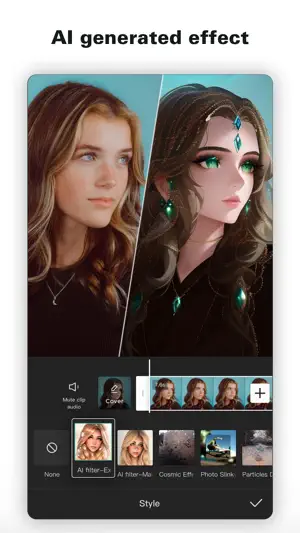
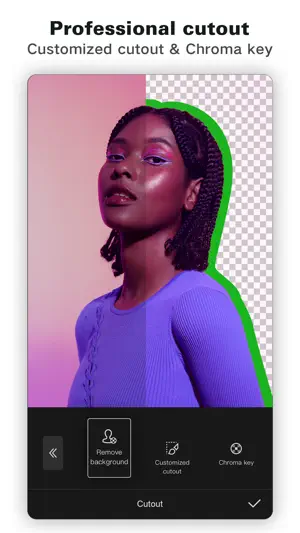
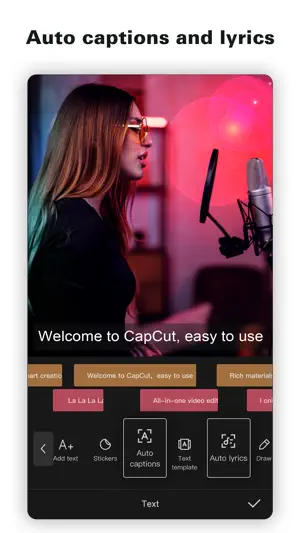
Speech-to-text is the feature most people install it for, and on clear English audio it lands close enough that correcting it is faster than typing from scratch. Accents and two people talking over each other break it, and it punctuates enthusiastically. Background removal is clean on a plain wall and messy on hair against a busy scene. Both of these run on servers, so they stop working with no connection — the timeline keeps editing offline, the AI features do not. That split matters if you edit on the move.
The part worth reading before you commit
CapCut belongs to ByteDance, and its terms of service have twice drawn public criticism over how broad a licence you grant to material you upload for processing. If you are cutting holiday clips this is background noise. If you are producing client work or anything you intend to license, read the current terms yourself rather than trusting a summary — including ours. Separately, the app is heavy: 340 MB installed, and project caches grow quickly, so budget storage if your phone is a 64 GB model.
Pros
- Multi-track timeline with keyframes, free, on a phone
- Watermark is a deletable outro clip, not a burned-in overlay
- Auto captions are accurate enough that correcting beats typing
- 4K 60fps export on hardware that can handle it
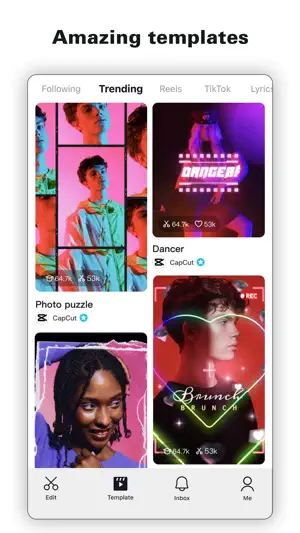
- Templates get a usable edit out of you in about two minutes
Cons
- AI features stop working without a connection
- ByteDance ownership and content-licence terms deserve a read
- 340 MB install plus project caches on a phone that may not have room
We don't host any files. These buttons open the official Google Play and App Store listings.
Verdict
CapCut is the most capable free video editor on a phone, and the deletable watermark alone puts it ahead of everything that burns one in. Take it if you are making short-form video and want a real timeline without paying. Think twice if you are producing work you will license, or if your phone is short on storage.
Frequently asked questions
Does CapCut put a watermark on my video?
Only if you leave it there. The watermark is a separate outro clip at the end of the timeline — select it and delete it before you export and nothing is added to your footage. Nothing is burned into the frames themselves.
What does CapCut Pro cost and is it worth it?
Pro is a subscription that unlocks extra effects, filters, cloud storage and the heavier AI tools. Standard editing, captions and export are free, so most people never need it. Check the current price in the app — it varies by region.
Can CapCut export in 4K?
Yes, up to 4K at 60fps, if your phone can encode it. Older and mid-range hardware will offer 1080p instead. The export screen shows what your specific device supports before you commit to a render.
Does CapCut work offline?
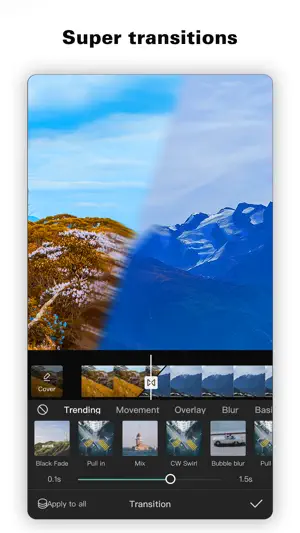
The editor does: trimming, layers, keyframes, transitions and export all work with no connection. Auto captions, background removal and the other AI tools run on servers and will not start offline.
Is CapCut safe to use for commercial work?
Technically it exports clean files. The question is legal, not technical: ByteDance's terms about content you upload for processing have been criticised twice publicly. For client or licensed work, read the current terms directly.
Similar apps in Photo & Video

Read next
About this page. ScoredApps reviewed CapCut independently. We don't own, develop, or distribute this app, and we're not affiliated with BYTEDANCE PTE. LTD.. Official site: www.capcut.com · Google Play listing · Developer support: feedback@capcut.com