Google Photos
Screenshots
About Google Photos
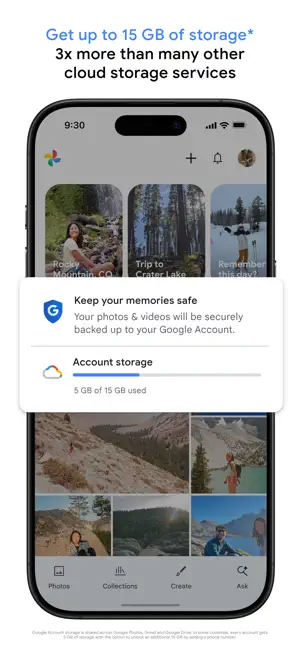
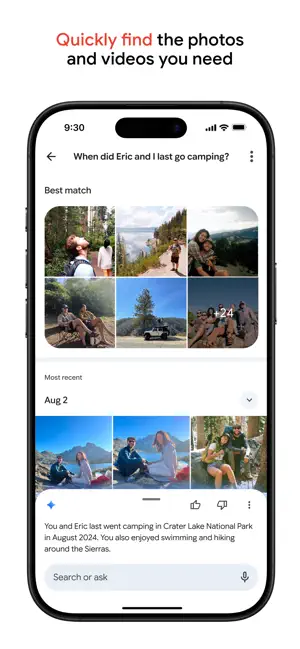
Google Photos is a photo library that puts search first. It indexes faces, pets, places, objects and the text inside images, which means finding a receipt from two years ago takes one query instead of ten minutes of scrolling. The catch is storage: the free unlimited tier ended in 2021, and everything you back up now counts against the 15 GB shared with Gmail and Drive.
App information
Specs come from the official store listings and were last checked on 2026-09-02. Developers change pricing and requirements — check the store page before installing.
Google Photos Review: The Search Is Still Unmatched, the Storage Is Not Free
What 15 GB actually means in practice
The 15 GB is not per app — it is shared across Gmail, Drive and Photos on the same account. A phone that shoots 12-megapixel photos and the occasional clip will use it up in a year or two; anyone shooting 4K video will hit it in months. There is a storage-saver setting that recompresses uploads, which buys time without changing the arithmetic. Beyond that you either subscribe to Google One or you start deleting. The app is honest about the number, at least: the settings screen shows what is using the space and offers to clear the obvious duplicates.
Search, and why it is still the reason to use it
Type a word and it finds the photo. Not a filename or a tag you added — the actual content. People and pets are grouped automatically, places come from location data, and text inside images is indexed, so searching for a word printed on a document or a shop sign works. Nothing else on a phone does this as reliably. It is also the part that explains the privacy trade: the indexing happens because the library is processed on Google's servers, which is the arrangement you are accepting when you turn backup on.
Editing: the free set and the paywalled set
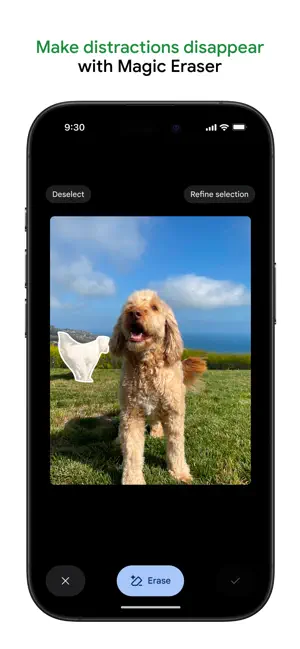
The free editor is competent — crop, light, colour, a decent set of presets and a genuinely useful auto suggestion. The headline features are not free: Magic Eraser, Photo Unblur, HDR effect and Portrait Light require a Google One subscription or a Pixel device. Magic Eraser is very good on small objects against simple backgrounds and obvious on anything complicated. If you were installing this for the eraser specifically, price the subscription first.
Pros
- Content search that finds photos by what is in them, including text
- Automatic people, pet and place grouping with no manual tagging
- Reliable cross-device sync and shared albums that non-technical family can use
- Free editor covers crop, light and colour properly
- No ads anywhere in the app
Cons
- 15 GB is shared with Gmail and Drive, not dedicated to photos
- Magic Eraser and Photo Unblur need a Google One subscription or a Pixel
- The search depends on server-side processing of your whole library
We don't host any files. These buttons open the official Google Play and App Store listings.
Verdict
Google Photos is worth using for the search alone — no other phone library finds pictures by what is in them this well. The honest catch is that 15 GB shared with Gmail runs out faster than people expect, and the editing features that get advertised are behind a subscription. Install it for the library, price Google One before you rely on it.
Frequently asked questions
How much free storage does Google Photos give you?
15 GB, and it is shared with Gmail and Google Drive on the same account rather than reserved for photos. The unlimited high-quality tier that people remember ended on 1 June 2021 and has not returned.
Is Magic Eraser free in Google Photos?
No. Magic Eraser, Photo Unblur, HDR effect and Portrait Light need a Google One subscription, or a Pixel phone where they are included. Crop, light, colour and the presets are free for everyone.
How much space do my photos really use?
Depends on what you shoot. Storage saver recompresses uploads and roughly doubles how long 15 GB lasts; original quality with any 4K video will exhaust it within months. Settings shows the current split by app.
Can I use Google Photos offline?
You can view anything you have downloaded, and albums can be made available offline deliberately. Search, backup and the editing tools that run on servers need a connection.
What happens to my photos if I stop paying for Google One?
Nothing is deleted immediately, but backup stops once you are over the free limit and Google warns you before any action. Export everything with Google Takeout before you cancel, not after.
Similar apps in Photo & Video

Read next
About this page. ScoredApps reviewed Google Photos independently. We don't own, develop, or distribute this app, and we're not affiliated with Google LLC. Official site: www.google.com/photos/about · Google Play listing